
How Do I Edit, Remove or Make Private a Reading or Ritual That I've Added/Want to Add to the Library?
If you've added your own Ritual or Reading to our community library, there are a few things for you to know:
- When you add an entry to our library, it does not get published live right away. Instead it gets submitted to our team for review before we publish it for the greater community to view and use.
- Once it's been submitted to our team, there is no way for you to edit the reading directly in the library, but you do have two options:
-
Once you've generated Chapter 3, you can edit the reading/ritual directly in the Script Editor:
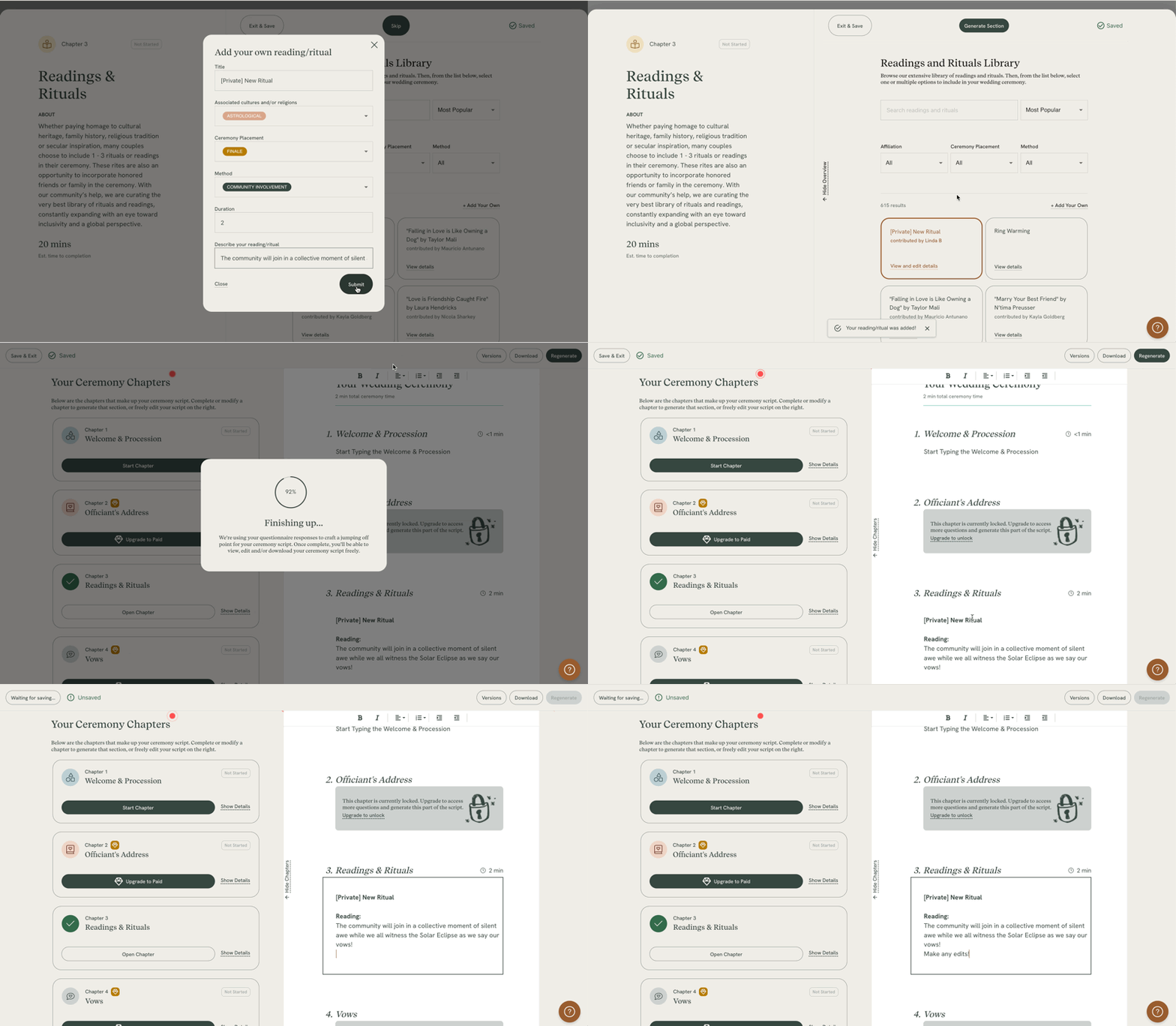
- You can create an new entry in the library with whatever changes/updates you need to make.
-
- If you want to keep your entry private and do not want us to publish your entry to our public library, you may write [PRIVATE] in the title of the entry, or email us at help@lovebird.ai
- If you are looking to format your entry, please use this text > html converter and paste in the HTML into the tool, which will keep the formatting when you submit it.