
How Do I Go Back to an Earlier Version of My Draft?
From the Vow Builder
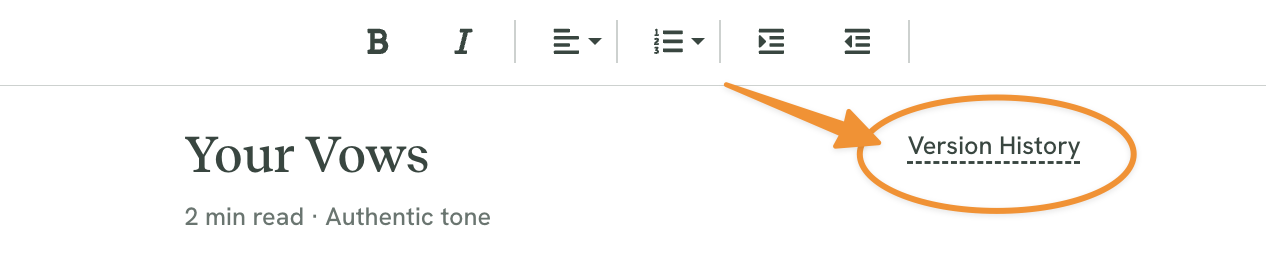
From the top right corner of your Ceremony Script Editor, click VERSION HISTORY.
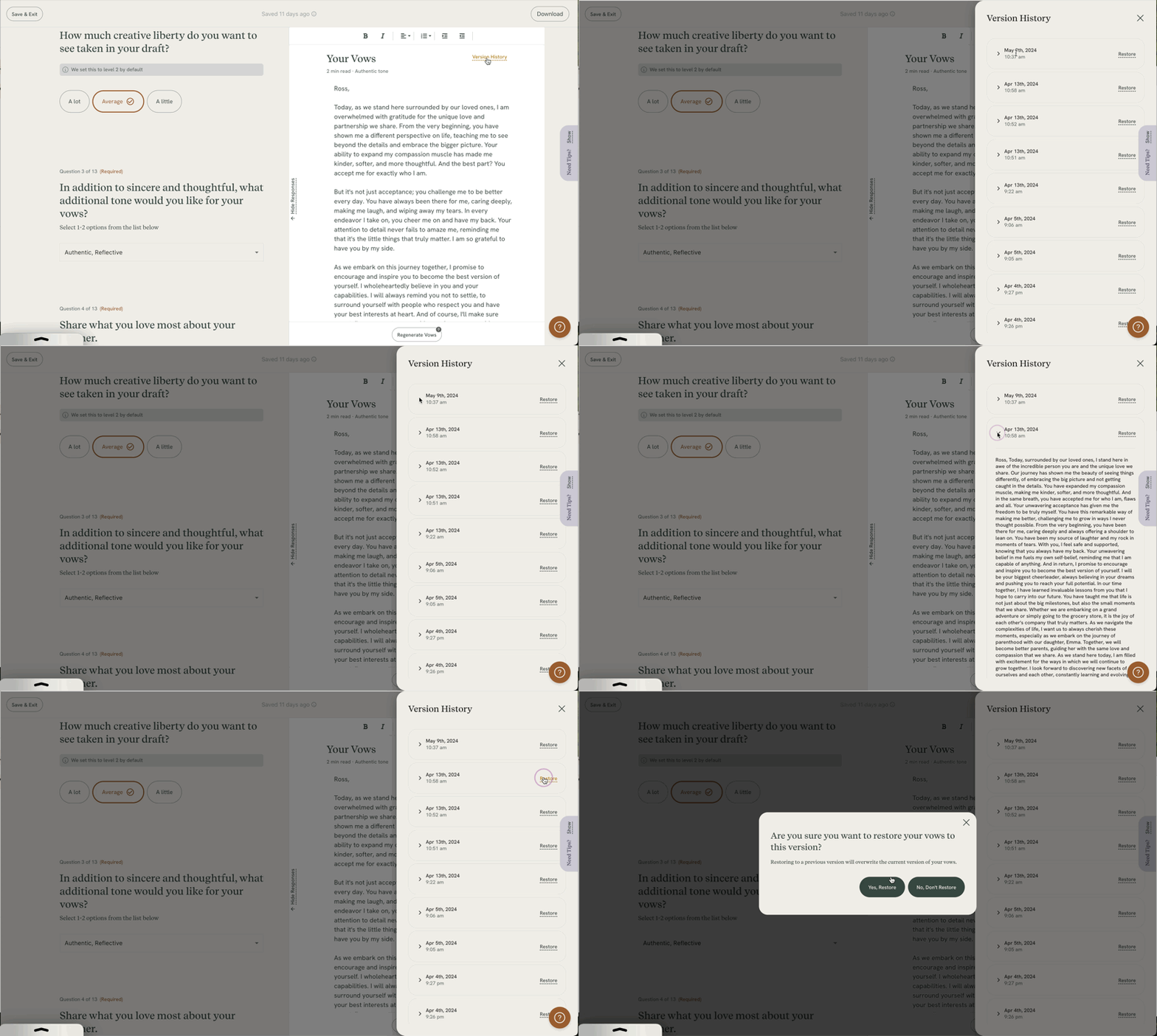
You can click through and view each version. Should you wish to restore a version, click RESTORE and then confirm your restore by clicking YES, RESTORE.
From the Ceremony Builder
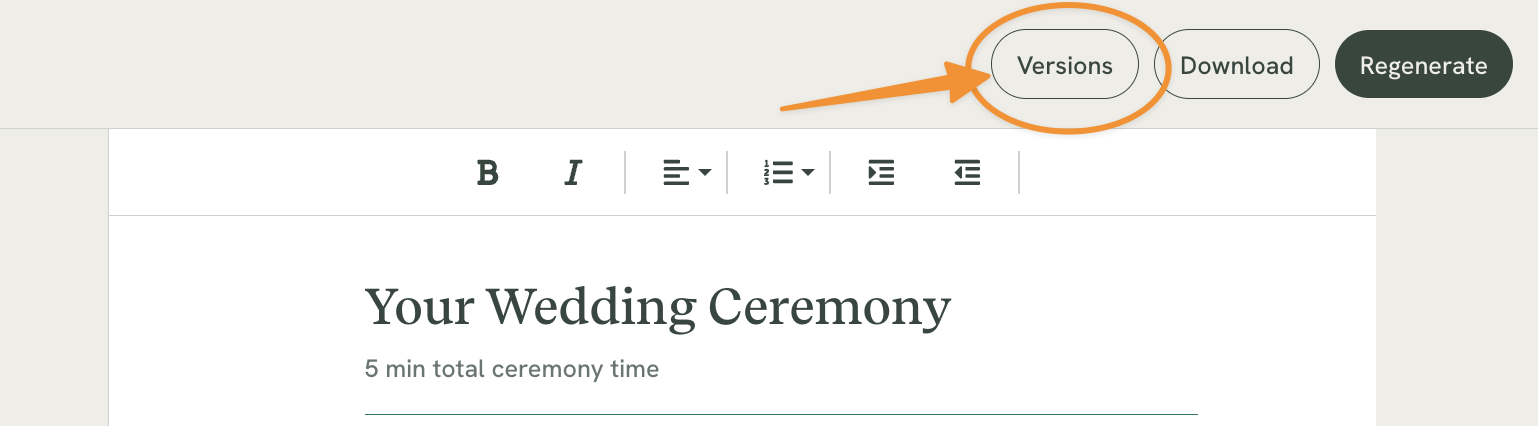
From the top right corner of your Ceremony Script Editor, click VERSIONS.
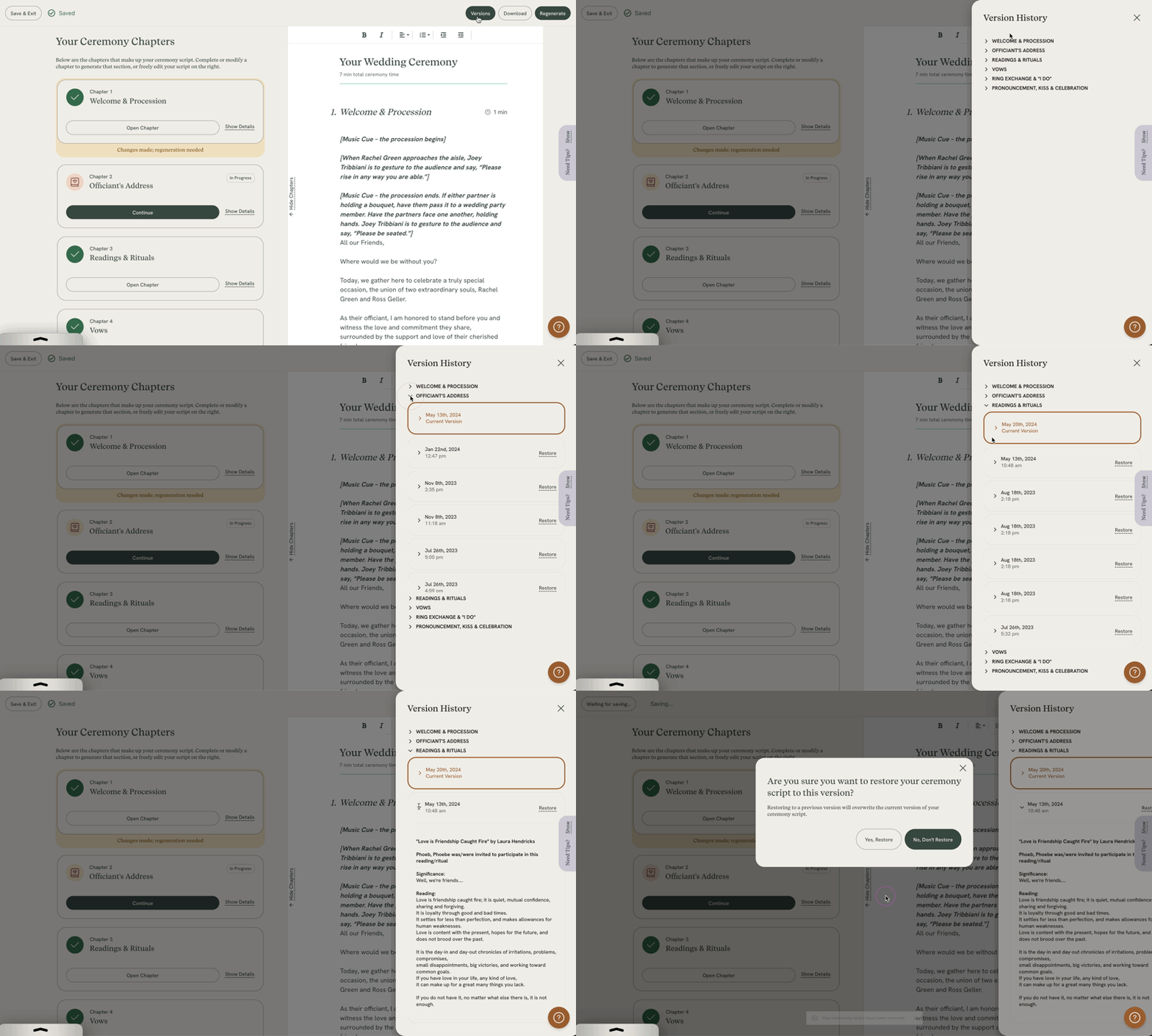
NOTE: Each chapter has it's own unique versions.
To find a version for a specific chapter, click the down arrow for that chapter, and scroll through the versions until you find the one you're looking for.
If you wish to restore that version, click RESTORE and then confirm your restore by clicking YES, RESTORE.
From the Toast Builder
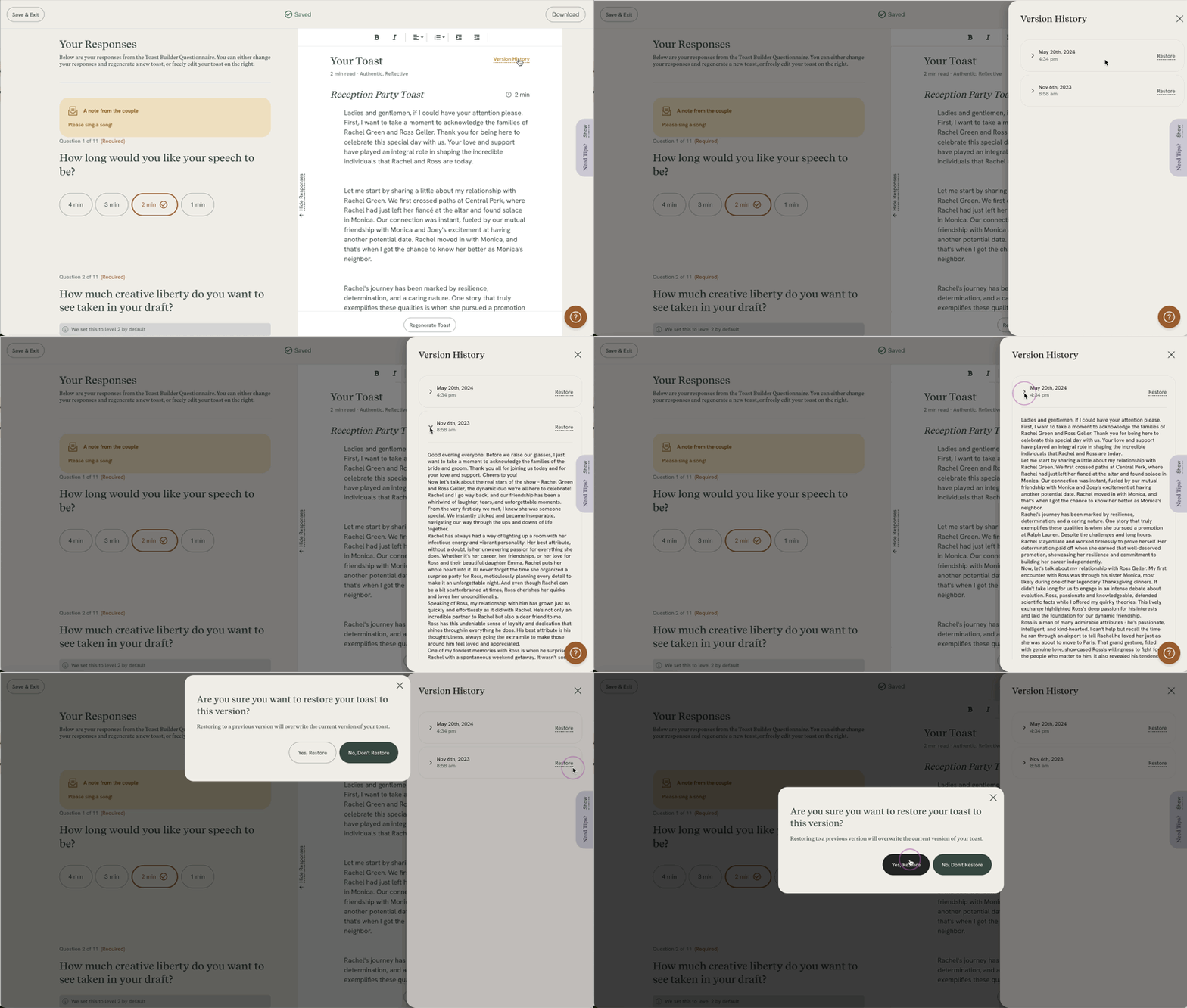
You can click through and view each version. Should you wish to restore a version, click RESTORE and then confirm your restore by clicking YES, RESTORE.
Please note the following:
- Once a draft is generated, any changes made within 3 minutes will be saved as a draft in your version history.
- If you do not edit a draft for 3 minutes, or work on a draft longer than 3 minutes, a new draft will be created and saved in the version history.
- Regenerating always triggers a new version.
- We store up to 15 of the most recent versions of your drafts